
Review: Voidjoy GA-10 Elite Extender for Switch Pro Controller — The Advantages Fall Short of the (Mod) Drawbacks
JSAUX's $39.99 VoidJoy Elite Extender clamps onto the Switch 1 Pro Controller, adding remappable back buttons, turbo, macros, extra battery life and removable metal analogue triggers. While the add-on feels sturdy and en…
The Price Squeeze Behind the Gadget
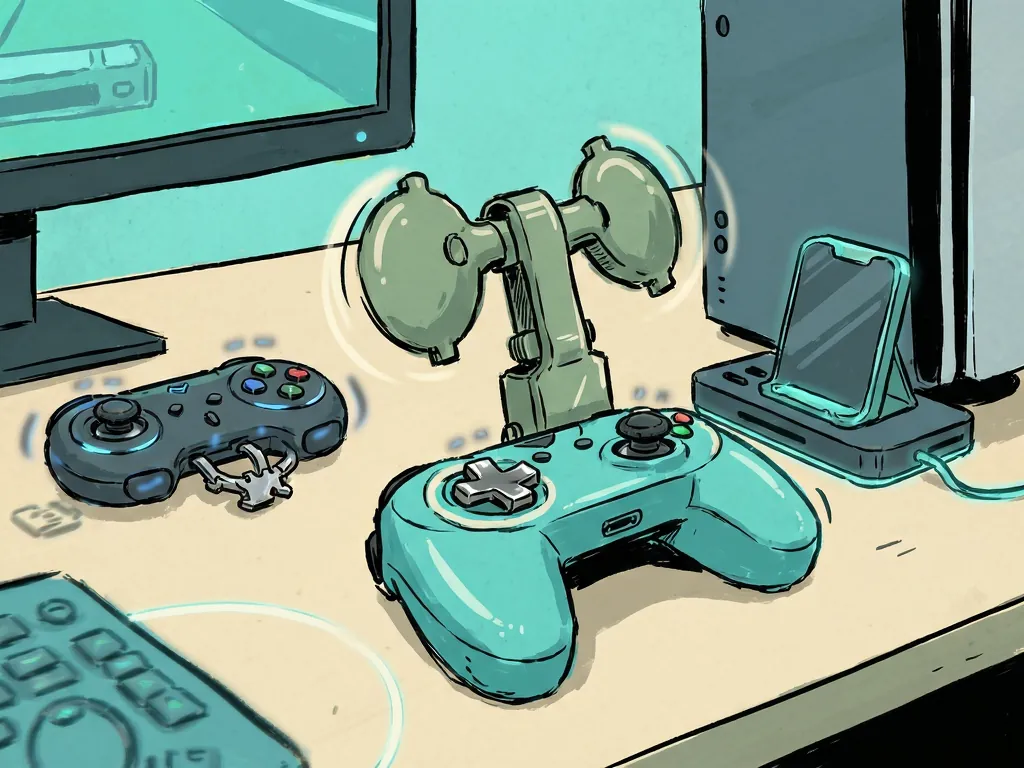
With console, game and grocery prices climbing in recent years, spending $90 / £75 on a Switch 2 Pro Controller feels harder to justify — especially when an old Switch 1 Pro Controller still works perfectly well. Into that gap steps accessory maker JSAUX with the VoidJoy Elite Extender, an add-on promising to retrofit your aging Pro pad with back buttons, analogue triggers, macros and extra battery life, turning it into something closer to a premium controller without the premium price.
What $39.99 Actually Buys You
The Extender retails at $39.99 USD plus shipping, though European buyers are out of luck — the EU's new user-serviceable battery regulations appear to keep it off the market in the region. For that sum you get:
- Two back buttons (labelled 'P1' and 'P2'), fully remappable
- Removable metal analogue triggers with 1280-step sampling
- Turbo functionality and 42-step macro options
- A 1800mAh battery that tops up your old controller
- Advertised Switch 2 wake-up support — which the reviewer could not get working on the latest 1.12 firmware
Compatibility stretches beyond Nintendo hardware: the Extender also works with Windows, iOS, Android (including touch-only games) and Raspberry Pi. Configuration runs through a 'KeyLinker' app for sensitivity testing, presets, button remapping, macros and deadzone/analogue-trigger calibration. You can even change the colours of the little LED windows on the back.
How It Fits and Feels
The unit clamps onto the Switch 1 Pro Controller via its USB-C port, hugging the top and rear of the pad. With the removable metal triggers attached, it sprouts what the reviewer likened to "bunny ears" — or Floyd, the floating companion from Jet Force Gemini. The fit is solid with no loosening during testing, though a small gap remains visible along the top. Once paired, the Switch recognises it as a separate controller, and thanks to its own battery, your Pro Controller can charge while you play. Added weight is 68g — noticeable, but not unwieldy.
Over many hours with Tears of the Kingdom, mapping 'sprint' to the back buttons made run-jump manoeuvres easier. The buttons work as advertised, though players with shorter fingers will strain to reach them, and they feel clickier and less elegant than the 'GL' and 'GR' buttons on the Switch 2 Pro Controller.
The Analogue Trigger Catch — Spoiler: It's a Big One
The Extender's headline draw is its analogue triggers, addressing one of the Switch 2 Pro Controller's few omissions. The thin metal levers are decently responsive, and in Tears of the Kingdom they were simply mapped to duplicate regular trigger functions for shields and bows. They can even be unhooked and reattached reversed via magnets — a neat but arguably unnecessary trick, since the space saved is minimal.
Here's the kicker, and spoiler for anyone hoping this solves analogue input on Switch: it doesn't. The handful of Switch games that support analogue triggers — including GameCube titles on the NSO library, where the official GameCube pad varies FLUDD's water pressure in Super Mario Sunshine — do not recognise the Extender's triggers. Feathering the throttle in GRID Autosport or Trials Rising on Switch is simply off the table.
On PC it's a different story: in X-input mode, the reviewer played GRID on Steam with the analogue triggers working beautifully. But PC players likely already own a more comfortable, platform-appropriate controller than a nine-year-old Switch Pro pad.
Verdict: A Halfway House That Doesn't Reach Its Destination
The remaining features — mode-switching and macro buttons on top, plus a cutout that pokes through to the Pro Controller's own sync button for "passthrough" play — are fine, if fiddly for larger hands.
The maths is hard to escape: $39.99 is a meaningful chunk of the way toward a $90 controller with all of this built in. The VoidJoy Elite Extender isn't a bad device, and its macros, turbo and back buttons function properly. But its signature feature — analogue triggers — is incompatible with the very platform its host controller was built for. Unless you're desperate to use an old Switch 1 pad on PC or other platforms and value precision triggers there, you're better served saving toward the GameCube NSO pad or a bespoke Switch 2 controller that packages these functions properly.
The review sample was provided by JSAUX. Some external links on the original page are affiliate links; see the site's FTC Disclosure for details.
Frequently Asked Questions
How much does the VoidJoy Elite Extender cost, and where can I buy it?
The Extender retails at $39.99 USD plus shipping. However, European buyers are out of luck — the EU's new user-serviceable battery regulations appear to keep it off the market in the region.
Does the Extender support analogue triggers on Switch games?
No. Although the metal analogue triggers work well on PC in X-input mode, Switch games that support analogue triggers — such as GameCube titles on the NSO library like Super Mario Sunshine — do not recognise the Extender's triggers.
Which platforms is the Extender compatible with?
Beyond the Switch 1 Pro Controller, it works with Windows, iOS, Android (including touch-only games) and Raspberry Pi, with configuration handled through the 'KeyLinker' app.
Does the advertised Switch 2 wake-up support work?
Not according to the reviewer, who was unable to get the wake-up feature working on the latest 1.12 firmware.
What features does the Extender add to a Switch 1 Pro Controller?
It adds two fully remappable back buttons (P1 and P2), removable metal analogue triggers with 1280-step sampling, turbo functionality, 42-step macro options, a 1800mAh battery that charges your controller while you play, and customisable LED colours, adding 68g of weight.
TagsNintendo SwitchHardware ReviewJSAUXcontrollersAccessories
Comments (0)